August 26th, 2024
New
It's now possible to limit how many people are able to register for an event! You can set a limit for total registrations, online registrations, or just in-person.
Staff and cancelled registrations are automatically excluded from the count!
You can set up a limit using the new conditions in the purchase restriction card in events.
May 28th, 2024
New
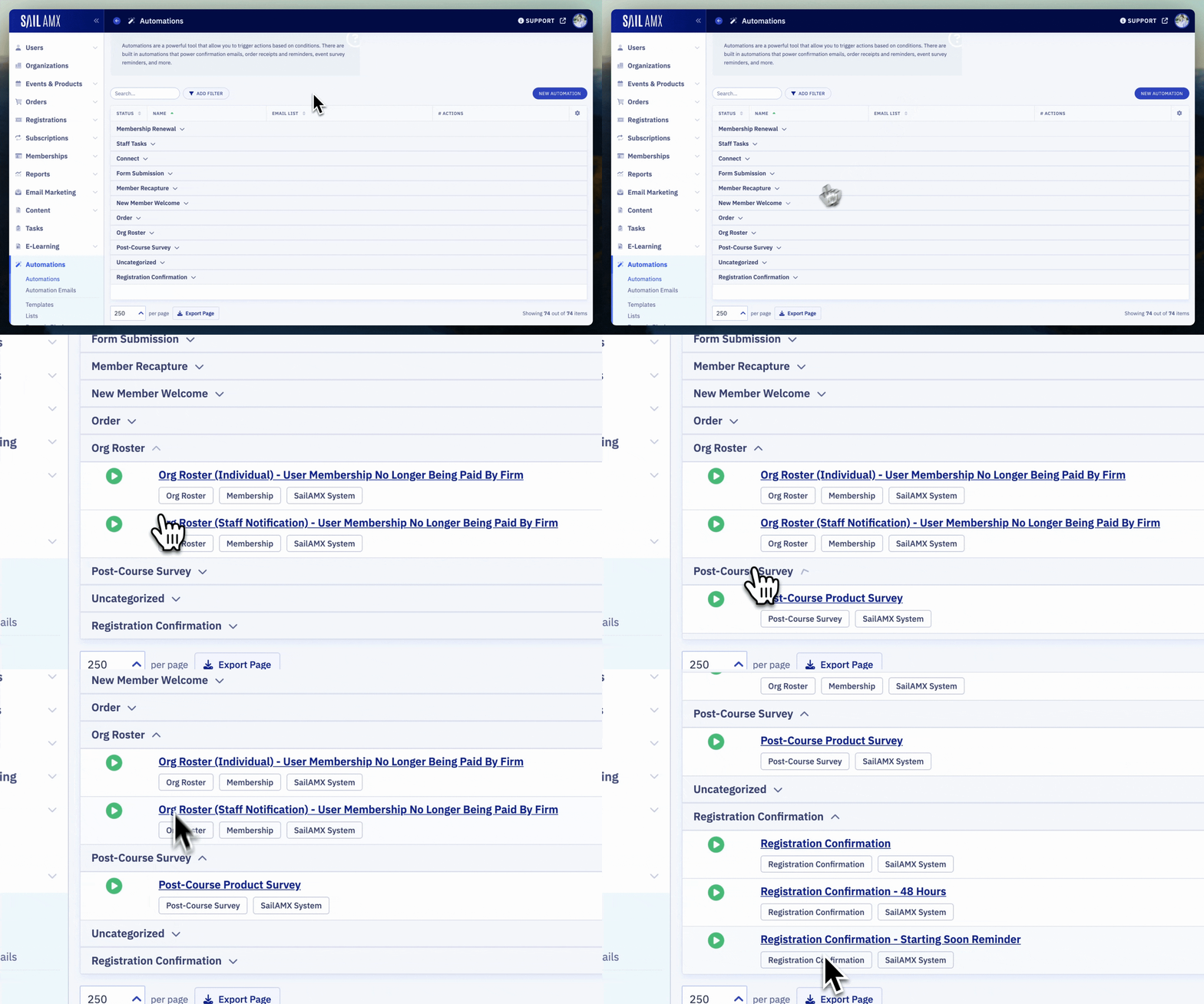
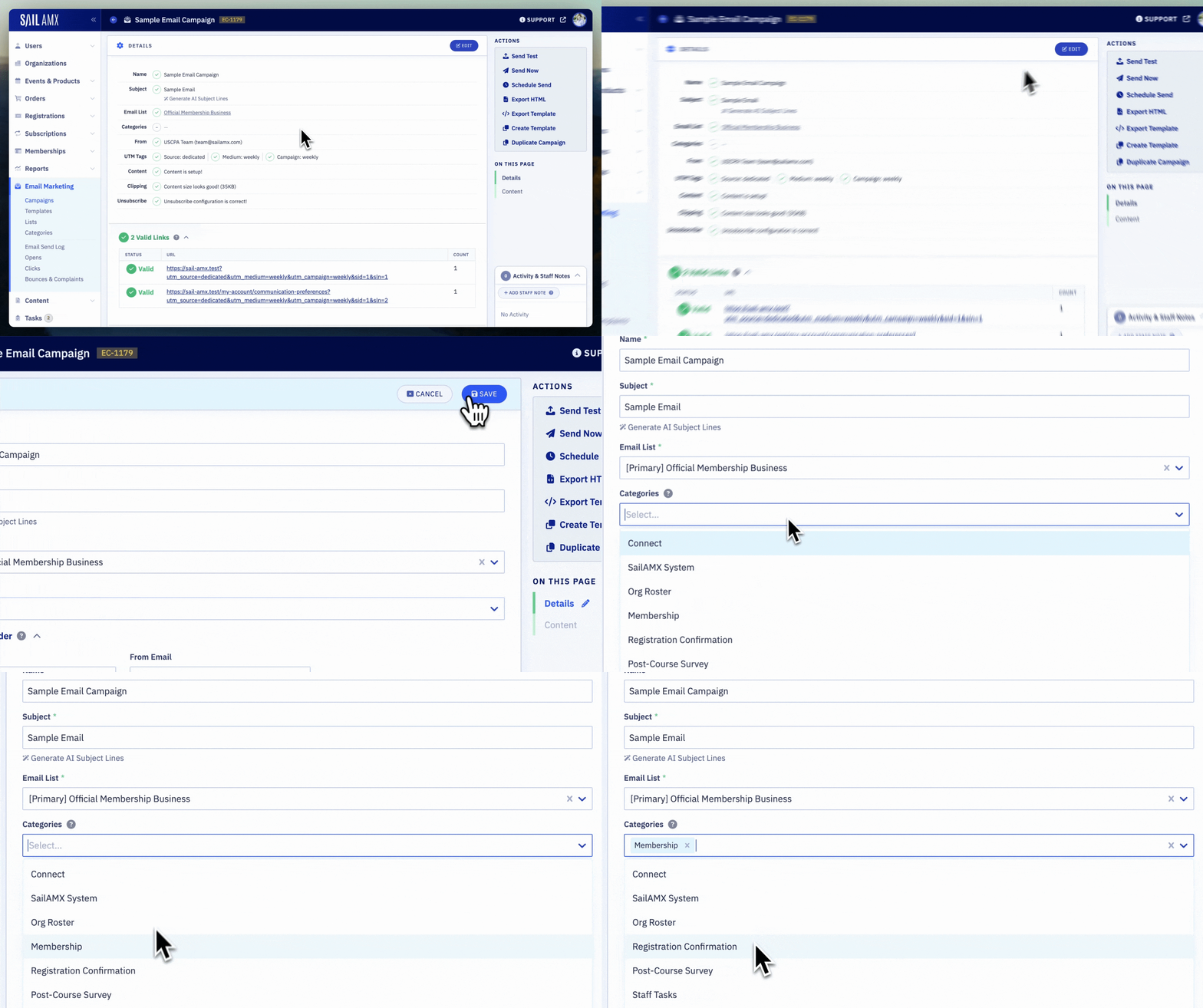
It's now possible to categorize Email Campaigns, Automations, and Automation Emails! This not only makes it easier to find what you're looking for, but is also a powerful way to report on emails over time (ex. recurring conferences, weekly news, etc).
We've prepopulated the category list with some common options, but feel free to customize in the email marketing section!
May 23rd, 2024
Improved
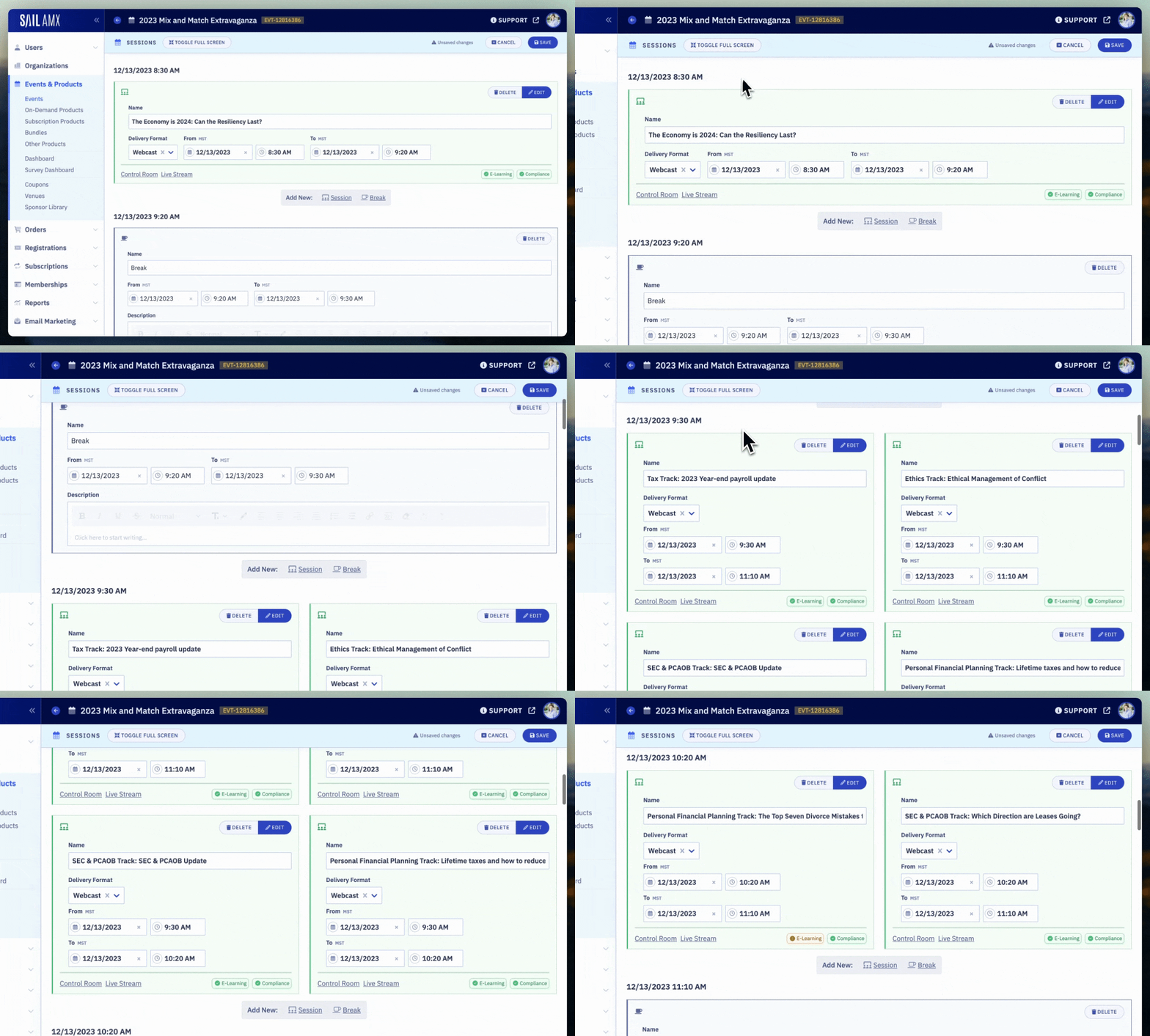
We've revamped the Event Session staff interface to be easier to use and provide more information. We've also added new features to the control room and live streams. Check out the updates below!
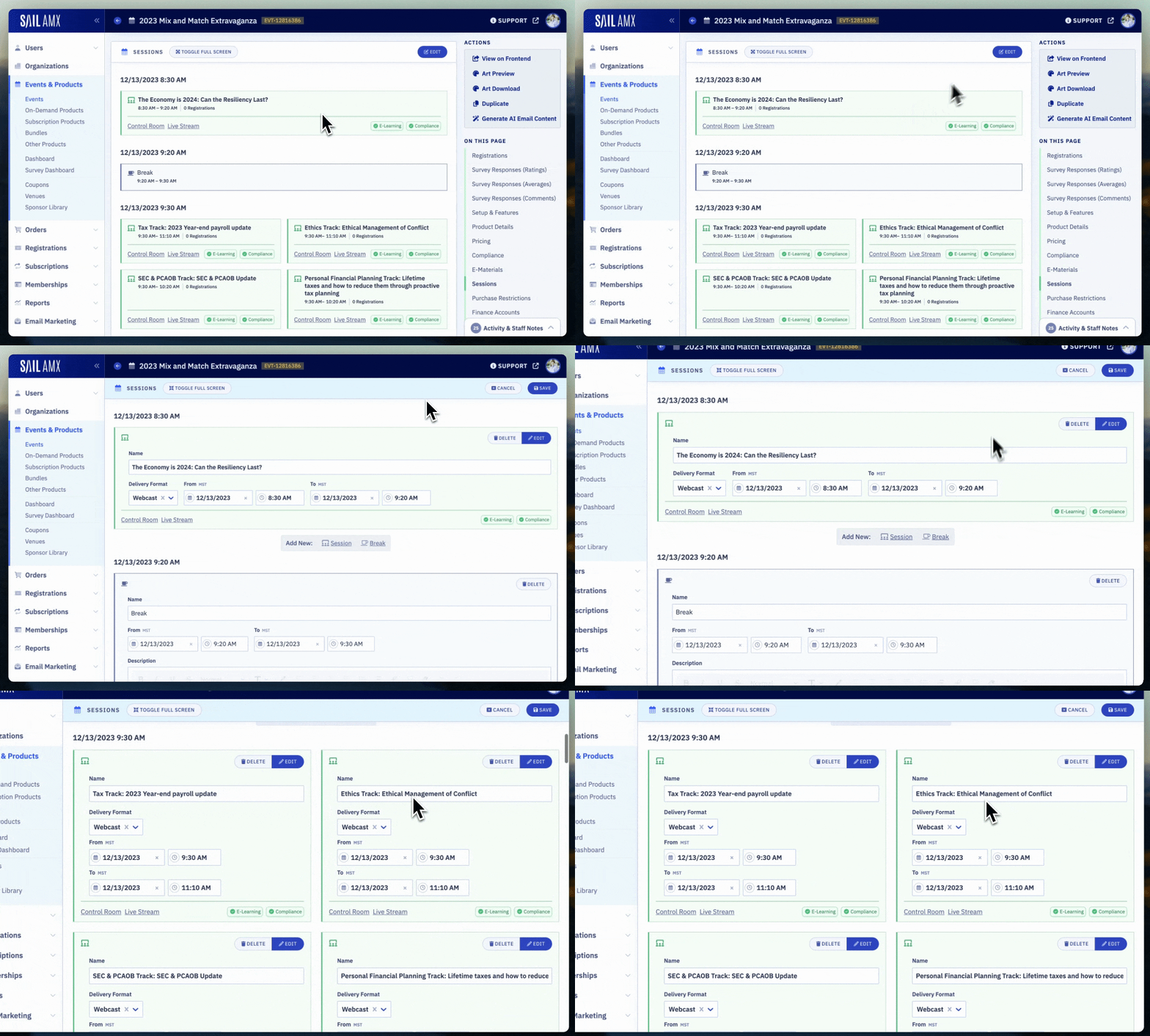
Full Screen View & Edit
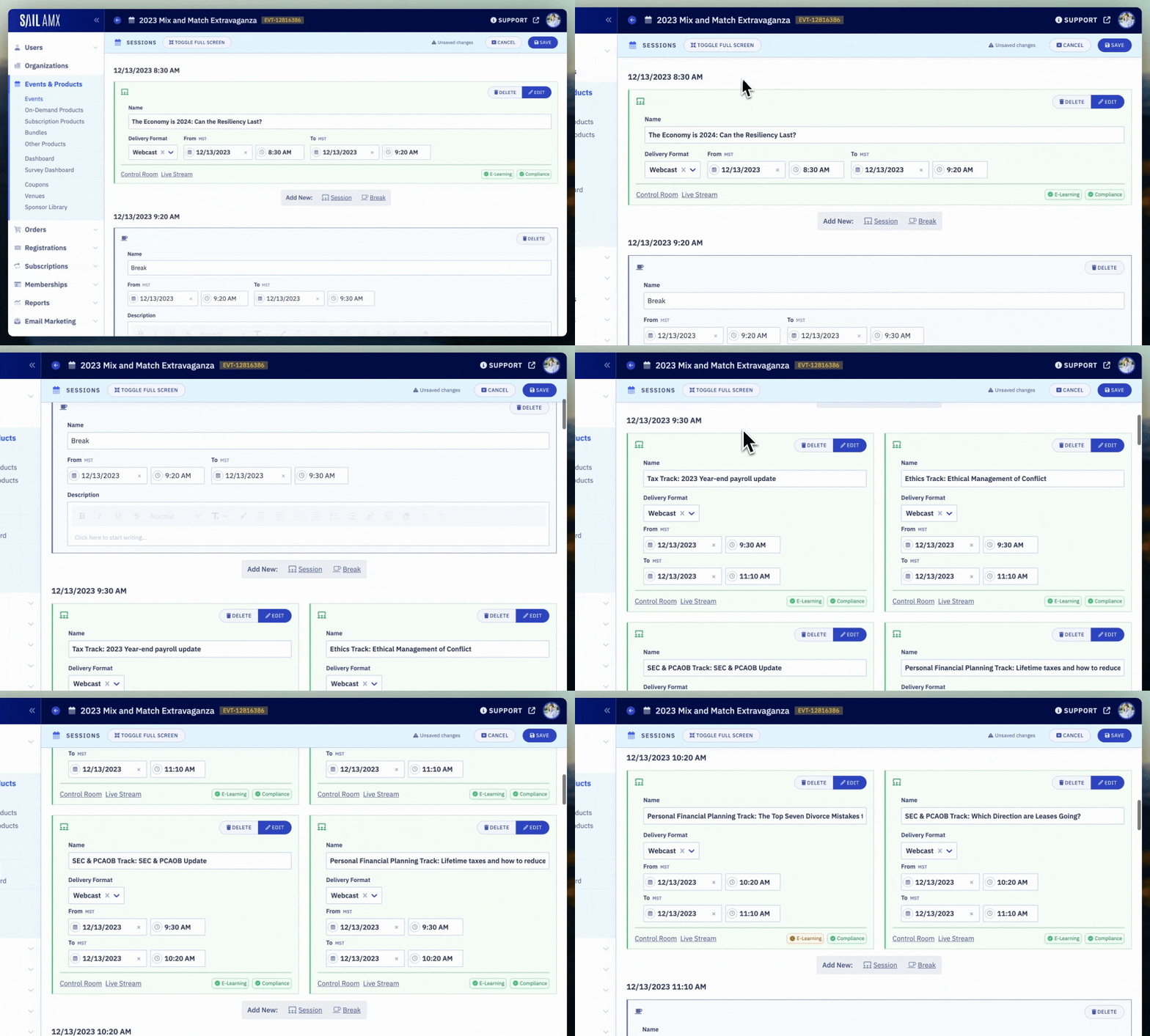
The session editor now fills the screen to make editing complex events easier.
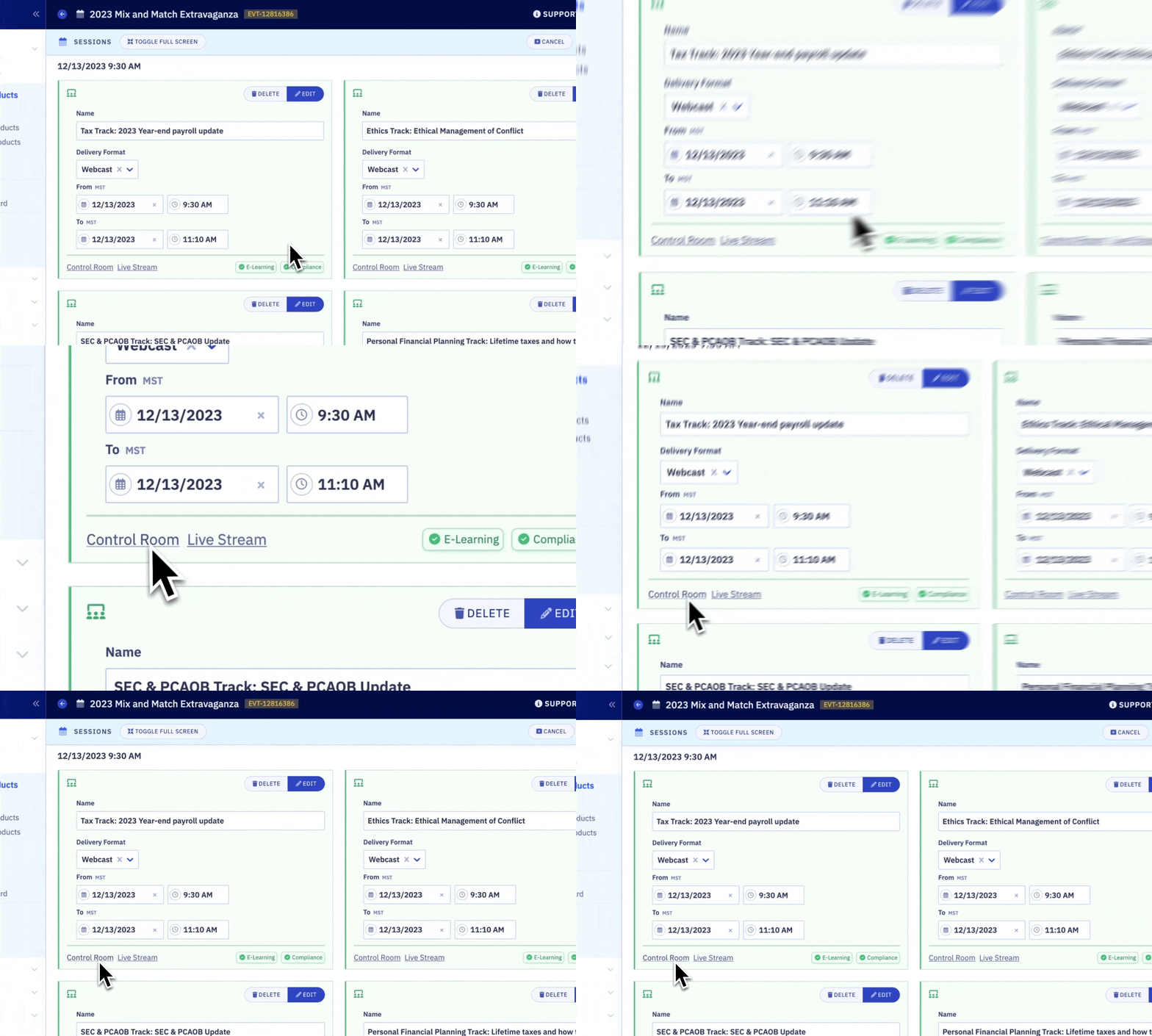
Quick Links to Control Room & Stream
Each session's control room and live stream can now easily be launched from view and edit mode.
Automatic Compliance & E-Learning Validation
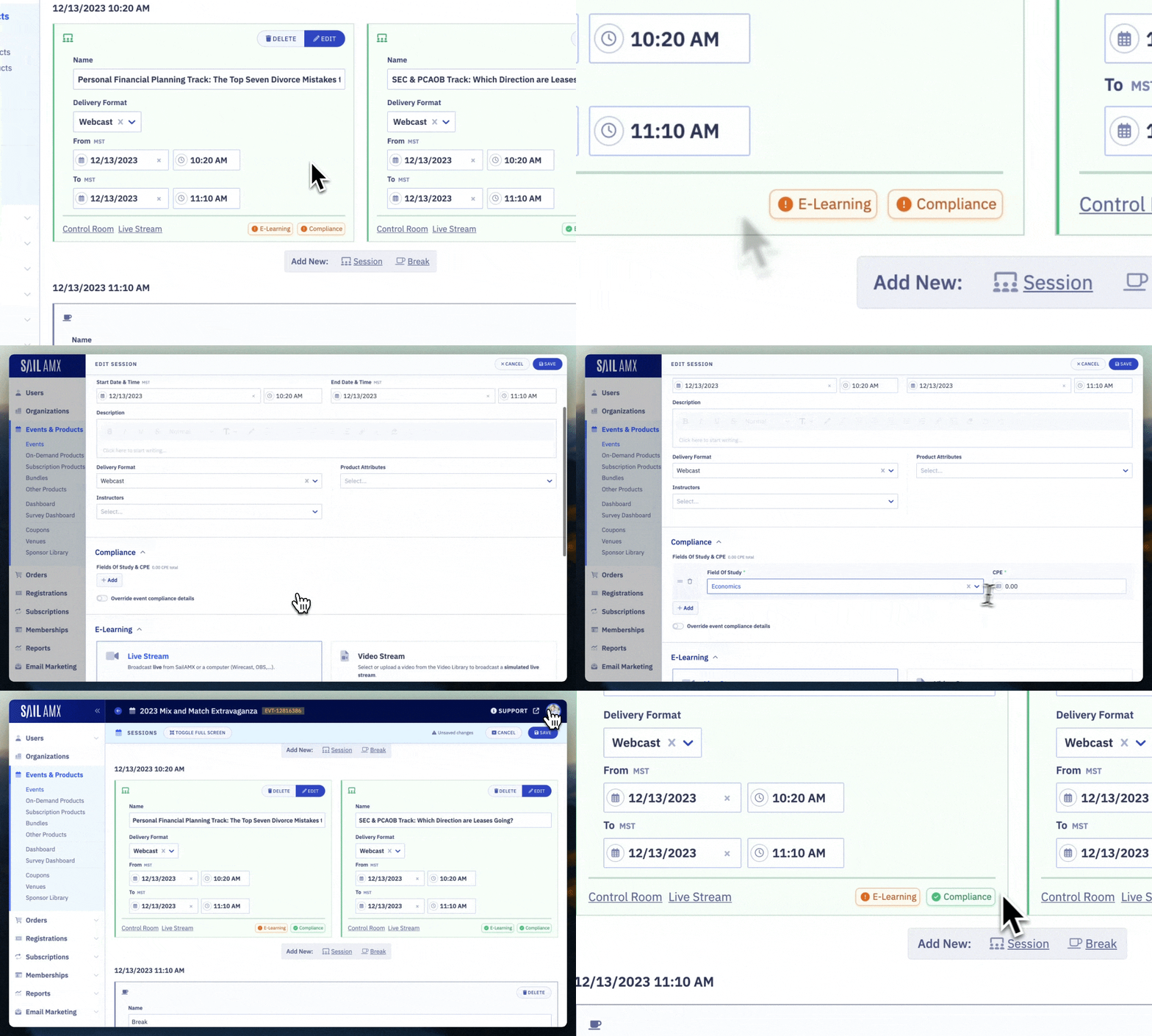
Sail will now automatically verify if you've configured compliance & E-Learning for each session. An indicator will be shown for any sessions that haven't been setup yet.
Concurrent Session Grouping
Sessions are now grouped by date and start time. This makes it much easier to work on events with concurrent sessions!
Check-Ins For Staff
Compliance check-ins are now supported for staff viewing a live stream (event registration required). Association staff should be able to get credit too, right? 😉
Zoom Integration Updates
User "Time Active" is now supported when using the Zoom integration.
Fix issue related to user's re-joining a zoom meeting when refreshing or navigating back to the event page quickly.
And... there's more!
It's now possible to add a description to breaks in the session editor.
Less "jumping" when changing session times.
It's now possible to see when an individual user's tab is active/inactive in the control room. (Ex. a user minimizes the live stream window or switches to a different tab and isn't actively watching).
User "Time Active" reliability improvements.
Improve event live stream interface when impersonating users.
Control room performance improvements for large events.
We are constantly obsessing over the details when building SailAMX to make your life (and your member's lives) easier. We hope you like the updates! We're always open to feedback if you have any!
May 9th, 2024
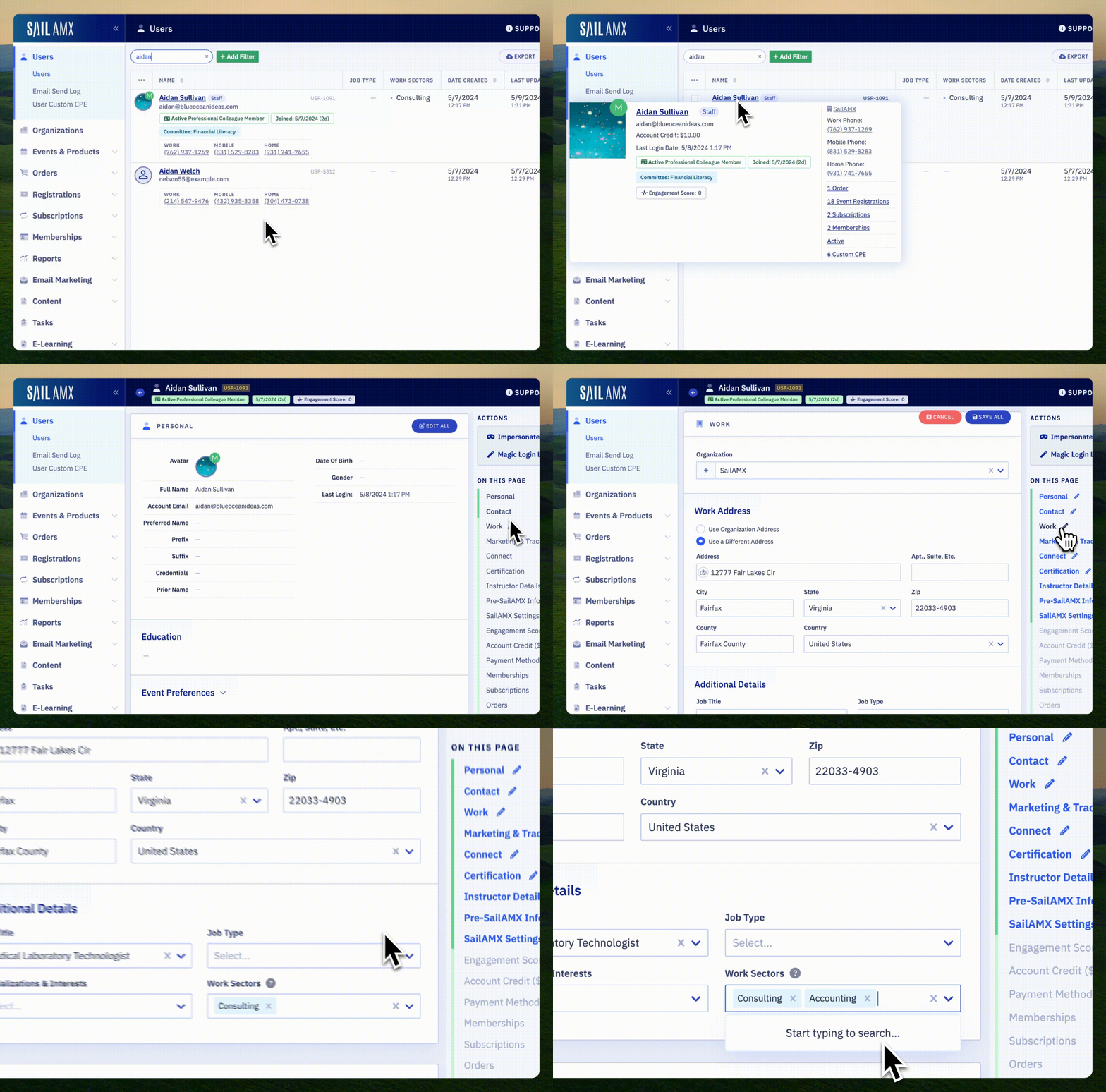
Sectors can now be assigned to Organizations and Users!
A few notes:
User's have the ability to select their sector via account settings (once Sectors have been configured).
Sectors on both Organization's and User's can be updated in bulk via the list view bulk actions.
Assigning a Sector to an Organization automatically assigns it to the users attached (unless the user has overridden it in their account settings.
New User/Organization Sector filters have been added to list views.
Sector selection can be enabled on the join form.
Sector reporting is available when creating SailAMX reports.
May 6th, 2024
New
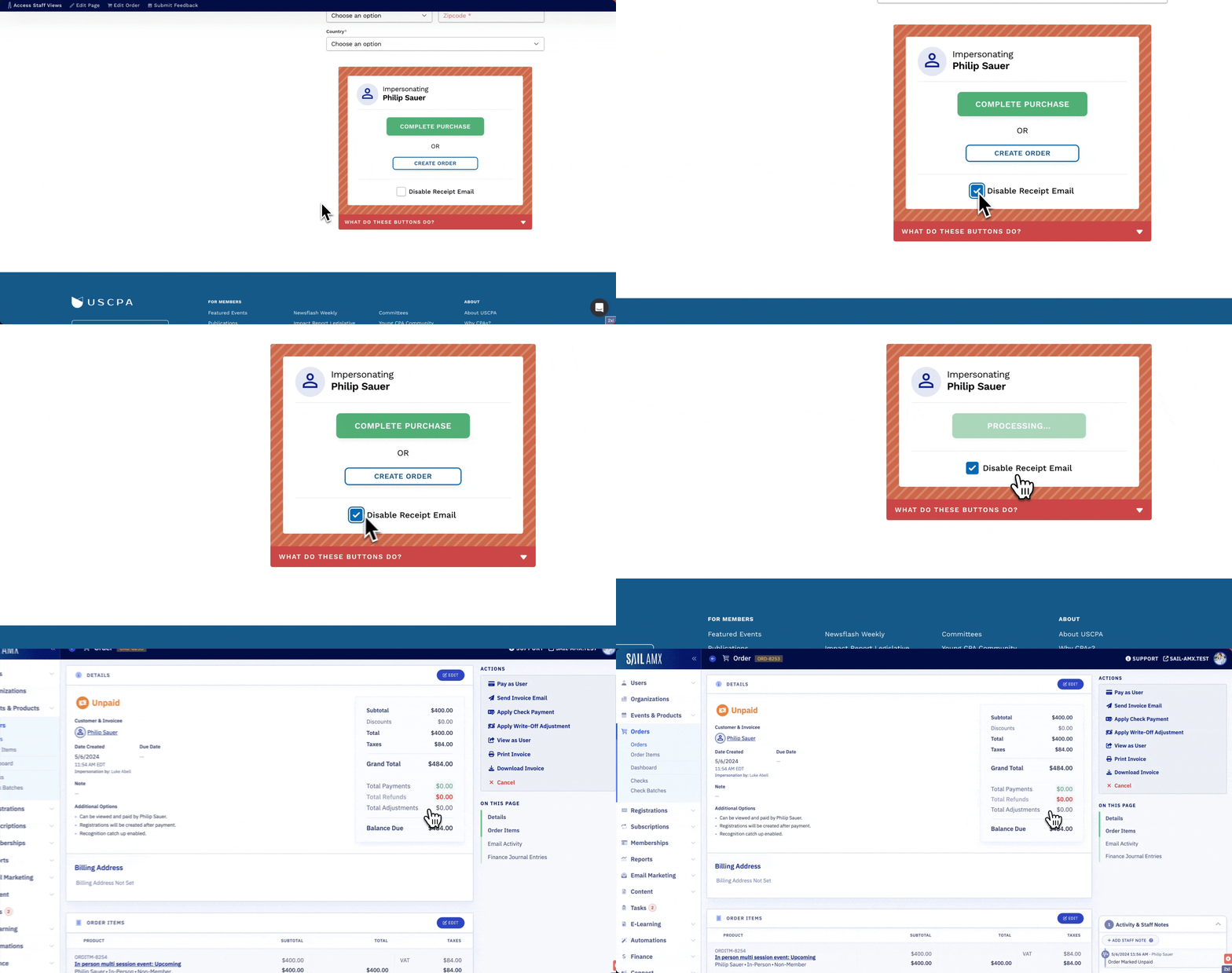
You now have more control when impersonating users and checking out!
Option to disable receipt emails from being automatically sent.
Option to create an order to be paid later (instead of charging the card on file).
April 2nd, 2024
New
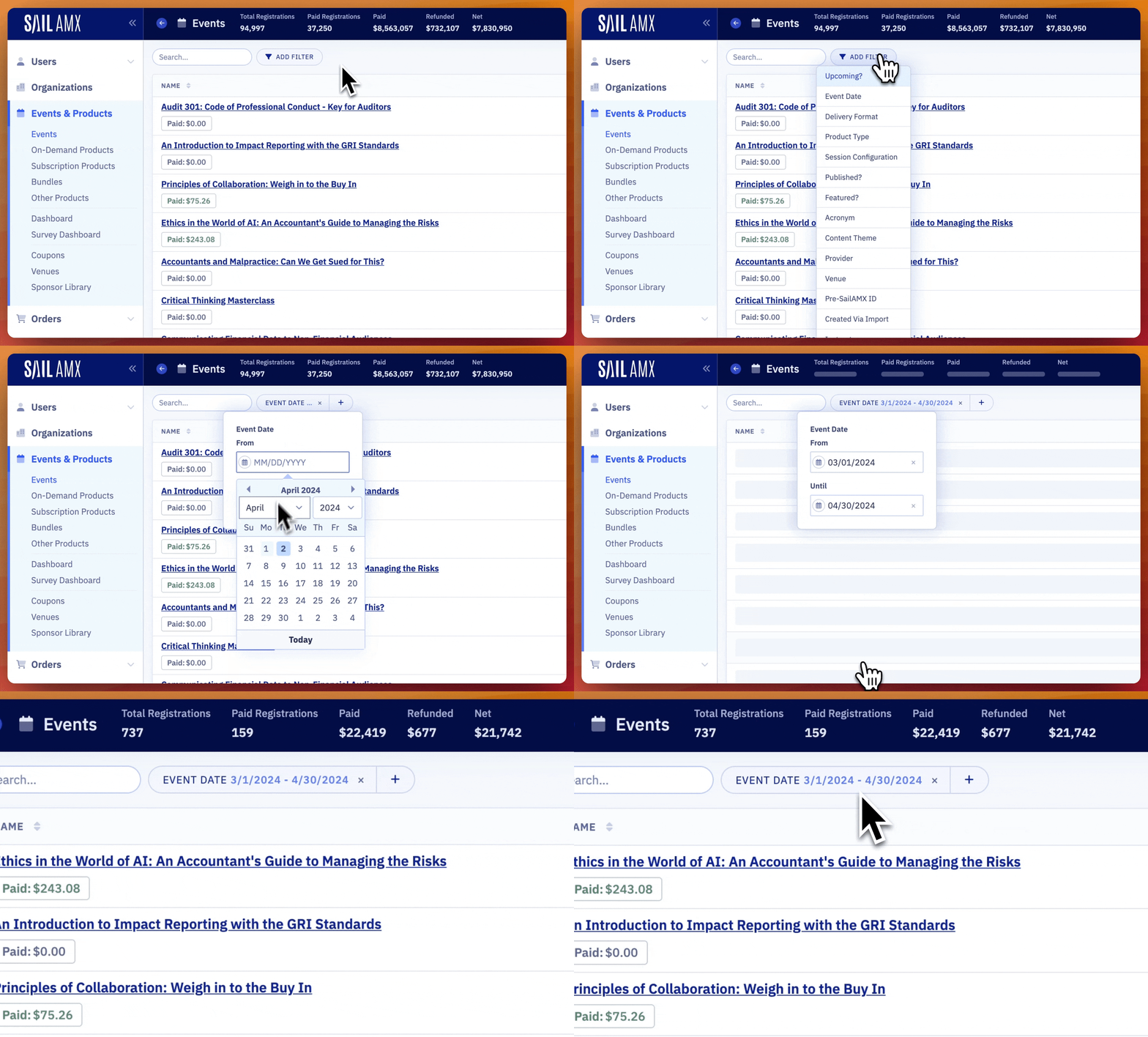
You can now view a summary of the data you're looking at directly in the staff views. This includes the most commonly requested metrics and is right in the header. This includes data from all pages.
Metric support has been added to Events, Orders, Event Registrations, On-Demand Registrations, Subscriptions, and Email Campaigns.
Check it out the next time you're searching or filtering!
January 22nd, 2024
New
It's now possible to create registrations for a bunch of users at the same time!
Just filter the User's Staff View, select individual or all users, then click "Create Complimentary Registrations". After choosing an event, click "Create Registrations".
October 25th, 2023
New
It's now possible to resend individual emails that have been sent to users.
This can be done anywhere email activity is shown (via the email send log, on an individual order, etc). This can be especially helpful to resend event confirmation emails!
October 19th, 2023
New
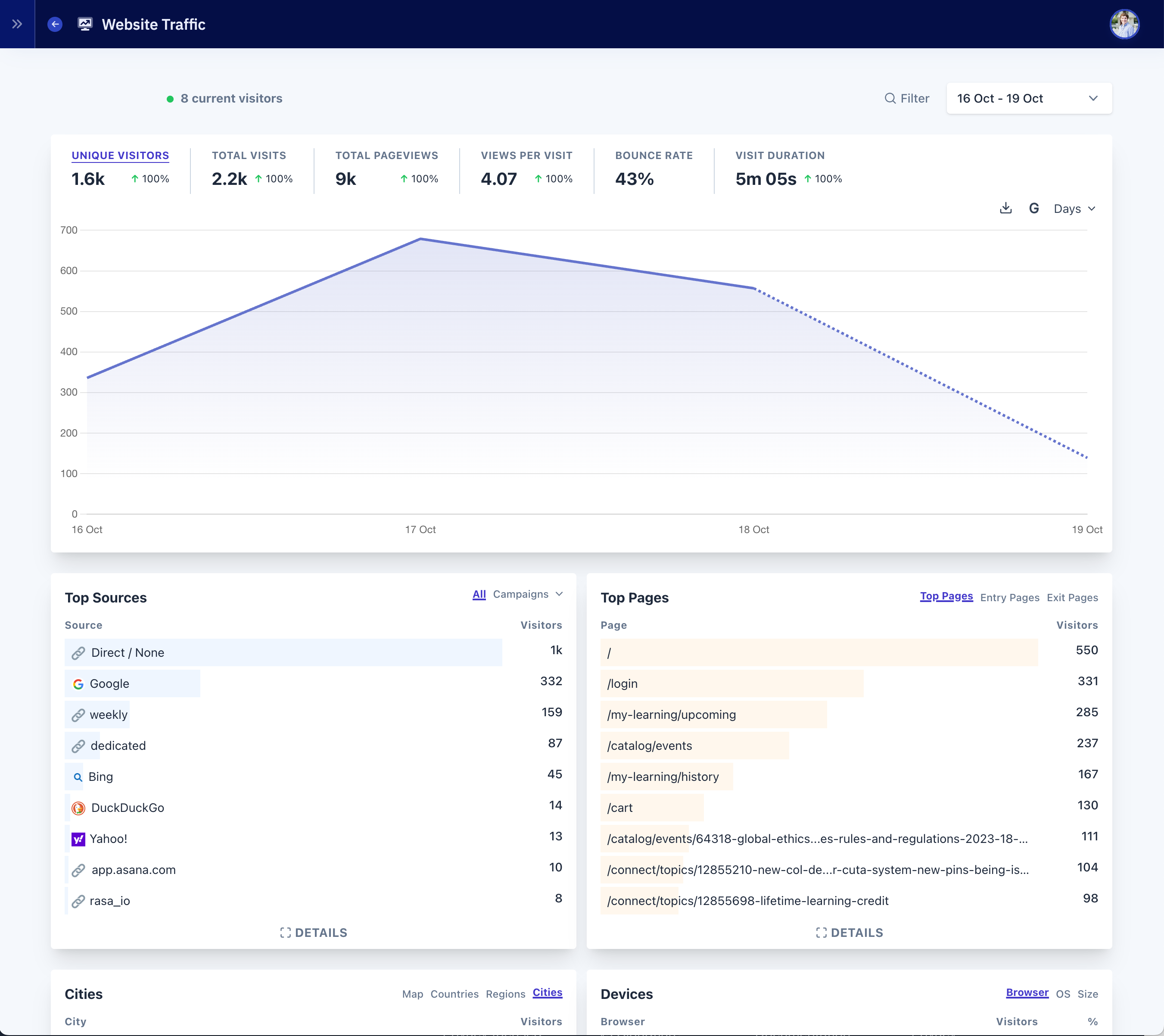
We're excited to announce a new built-in Website Traffic feature! Website Traffic allows you to see site traffic and metrics in an easy to use interface.
Google Analytics can be frustrating to use and difficult to understand. We've taken a different approach with our Website Traffic feature. It's easy to understand and cuts through the noise. Check your site traffic and get all the essential insights on one page, in one minute.
Website Traffic Features
Track Real-Time Traffic: Access instant reports of visitor traffic on your website. Identify popular pages, peak traffic times, and user behaviors all in real time.
Filters: With two clicks, you can filter by URL (useful for seeing traffic to a specific product page).
Analyze User Journey: Understand where your visitors are coming from and the paths they take throughout your website.
Google Search Metrics: With built-in Google Search Console integration, you can see what Google keywords are bringing users to your site.
Device Breakdown: Understand whether visitors prefer to use mobile, desktop, or tablet when accessing your website.
Bounce Rate: Keep track of the percentage of visitors who navigate away from the site after viewing only one page, helping you optimize for better engagement.
Page Session Duration: Gain insights into how long visitors are staying on specific pages of your site.
Referrer Data: Identify the sources sending traffic to your website, including direct hits, social media, search engines, and other websites.
Custom Date Ranges: Select custom date ranges to analyze data based on specific time periods, helping identify trends over time.
Exportable Data: Exporting to CSV is built in.
Adblock: Google Analytics is generally blocked by Adblock extensions which skews total counts. Because this is a tracking feature Built into SailAMX, Adblock extensions don't interfere with tracking.
Track Outbound Clicks: In the events section, you can see which external URLs users are navigating to from your site.
Track Downloads: In the events section, you can see file download metrics.
September 8th, 2023
New
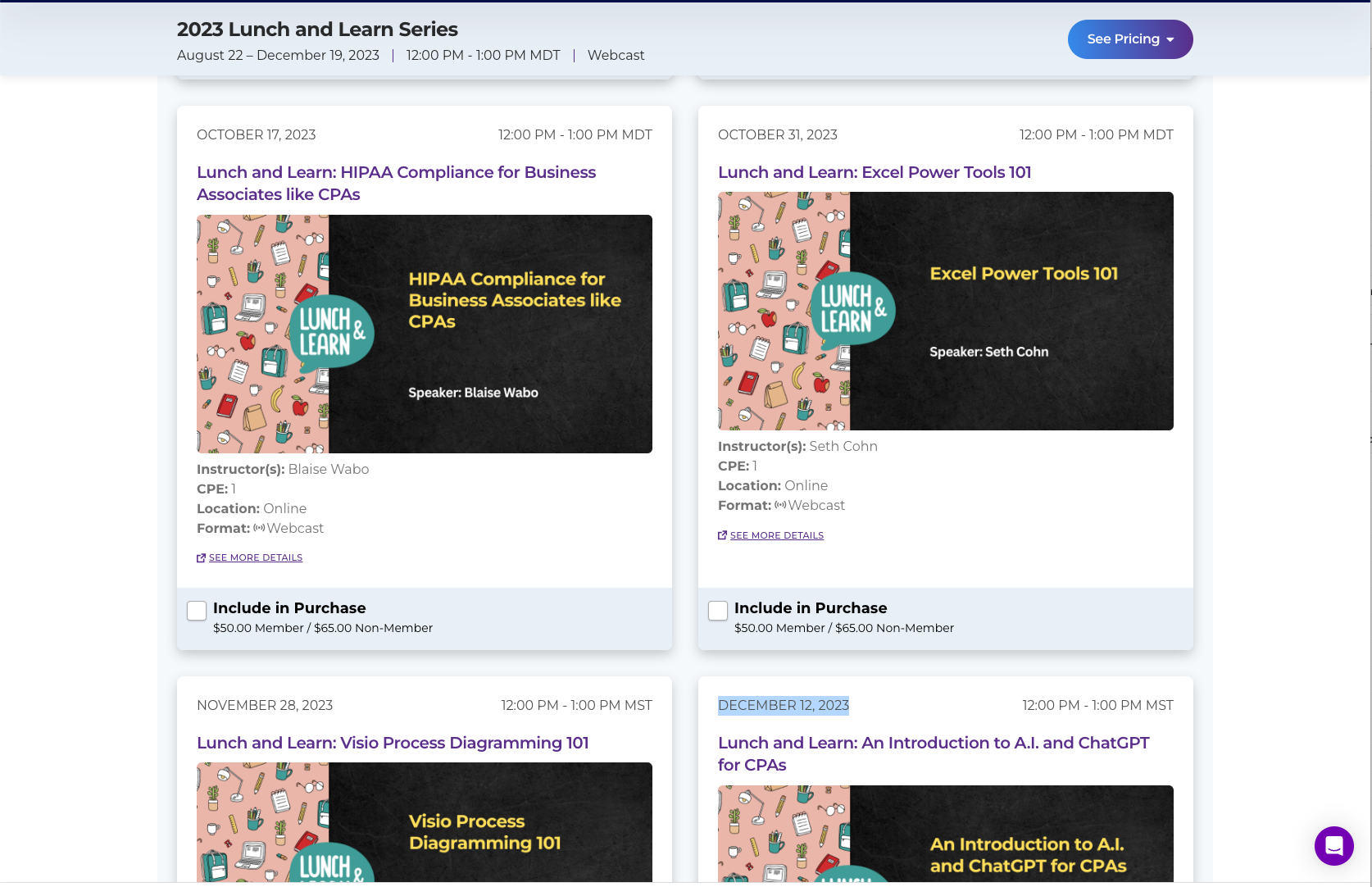
Bundles allow you to sell multiple products at the same time on one page with optional discounts applied. It's a super powerful feature with multiple layout and pricing options. Both Customizable and Fixed bundles are available.
Customizable Bundles
With customizable bundles, users are able to choose which products they'd like to purchase from a predefined set.
You can also optionally offer percentage/dollar discounts based on the number of products purchased. This allows you to create a "The More You Buy, The More You Save" promotion.
Customizable bundles are great for:
Selling products around a certain topic or speaker: "Top 2023 Tax Courses" or "Don Farmer 2023".
Selling individual sessions of a conference à la carte.
Fixed Bundles
Fixed bundles allow you to sell a set of products for a fixed price. They support member/non-member pricing and custom prices based on customizable rules (user attributes, membership plan, etc).
Fixed bundles are great for:
Selling a bundle of on-demand products for a fixed price at a discount.
Selling multiple products as a set that must be taken together.
Other Highlights
Card and Agenda layouts available for both customizable and fixed bundles.
Bundle products can be automatically displayed throughout the website just like events (Featured Events Block, Event Calendar, Product Catalog, etc).
The finance integration is fully supported.
Supports On-Demand Products, Events, Other Products, & Subscription Products.